WordPress Test Record — 2026-08-24
Verdict
WordPress deserves a launch output profile. In the tested WordPress.com Block Editor, a real plain-text paste of the complete Markdown fixture was parsed into editable native Gutenberg blocks. Headings, inline formatting, links, nested lists, quotes, dividers, fenced code, GFM tables, remote image syntax, hard breaks and ordinary paragraphs converted successfully.
This is not full document portability. YAML front matter became visible content, the post title field stayed empty, task-list state was lost in the Gutenberg conversion, local images broke, Markdown footnotes and math remained literal, Mermaid became code, Obsidian constructs remained literal, <details> structure disappeared, and Markdown anchor links pointed to heading IDs that WordPress did not create.
The separate WordPress.com/Jetpack Markdown block preserved the original Markdown source and rendered more of the source, including GFM tables and footnotes with backlinks. It still left task markers visible, left math literal, displayed Mermaid as code, escaped raw HTML, did not resolve Obsidian syntax and did not create matching heading IDs. It is a useful optional mode, not a universal WordPress contract.
The product therefore needs at least two named WordPress outputs:
- Gutenberg paste: cleaned Markdown designed for a real paste event that converts into editable native blocks.
- WordPress.com/Jetpack Markdown block: source-preserving Markdown for sites where that block is available and Markdown is enabled.
Future one-click publishing is a third contract: authenticated REST publishing with separately uploaded media and Gutenberg-safe content. It must not assume that sending a raw Markdown string to the Posts API reproduces the editor's paste conversion.
Environment and safety boundary
- Authenticated account: existing WordPress.com personal account.
- Site:
sukekk.wordpress.com, free plan, not launched. - Surface: desktop WordPress Block Editor for a standard post.
- Draft ID:
8. - No post or page was published.
- No media was uploaded to the Media Library.
- A remote image URL was rendered by hotlinking; a local relative image was not uploaded and failed to load.
- The test draft was explicitly saved only to verify the server-rendered Markdown block.
- Cleanup was verified through the editor data store: post
8ended witheditedStatus: trashandcurrentStatus: trash. - The draft is recoverable from WordPress Trash; it was not permanently deleted.
Test modes
| Mode | Result | Scope |
|---|---|---|
| Full raw Markdown pasted into the default paragraph | Strong partial pass | Converted the fixture into 62 top-level Gutenberg blocks; unsupported constructs still needed repair |
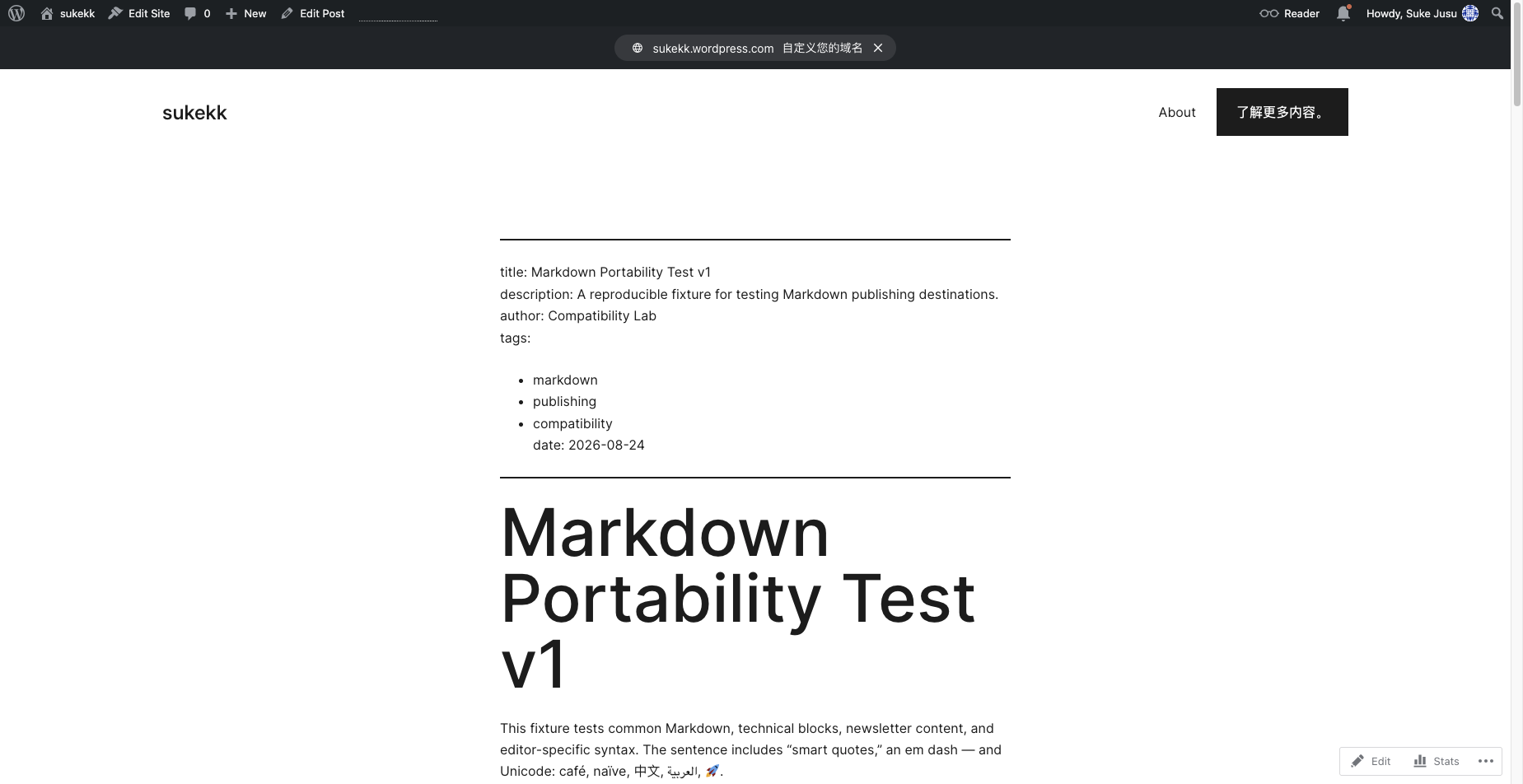
| Saved front-end preview of Gutenberg conversion | Pass with visible defects | Confirmed semantic HTML, loaded remote image, broken local image, literal footnotes/math/Obsidian and missing heading IDs |
| WordPress.com/Jetpack Markdown block | Strong optional mode | Preserved all 3,876 source characters and rendered Markdown server-side after an explicit draft save |
| REST publishing | Documentation only | Posts and Media endpoints confirmed; authentication and end-to-end publishing were not tested |
| Custom HTML/code editor handoff | Not tested | Must not be inferred from the Markdown paste result |
Gutenberg raw Markdown paste
The fixture was placed on the system clipboard and pasted through a real browser paste command into a selected paragraph. The editor created 62 top-level blocks and 83 block DOM nodes when nested list items were included.
What converted into native blocks
| Fixture construct | Gutenberg result | Development implication |
|---|---|---|
# through ###### |
Native core/heading blocks with levels 1–6 |
Preserve hierarchy, but handle the post title separately |
| Bold, italic, bold-italic, strike and inline code | Native inline markup inside paragraph blocks | Safe for ordinary Markdown |
HTTPS, mailto:, anchor and relative links |
Native anchors with original href values |
Validate and rewrite relative/anchor targets before handoff |
| Nested unordered and ordered lists | Native nested core/list and core/list-item blocks |
Structure survived three tested nesting levels |
| Quote and divider | Native core/quote and core/separator blocks |
Safe for ordinary content |
| Fenced JavaScript and text | Native core/code blocks |
JavaScript language was detected in the tested editor |
| Small and wide GFM tables | Native core/table blocks |
Retained header/body cells and tested alignment metadata |
| Remote Markdown image | Native core/image with URL, alt text and title |
It hotlinked the remote file; it did not create a Media Library asset |
| Hard break and paragraphs | Native paragraph blocks and <br> |
Ordinary spacing survived |
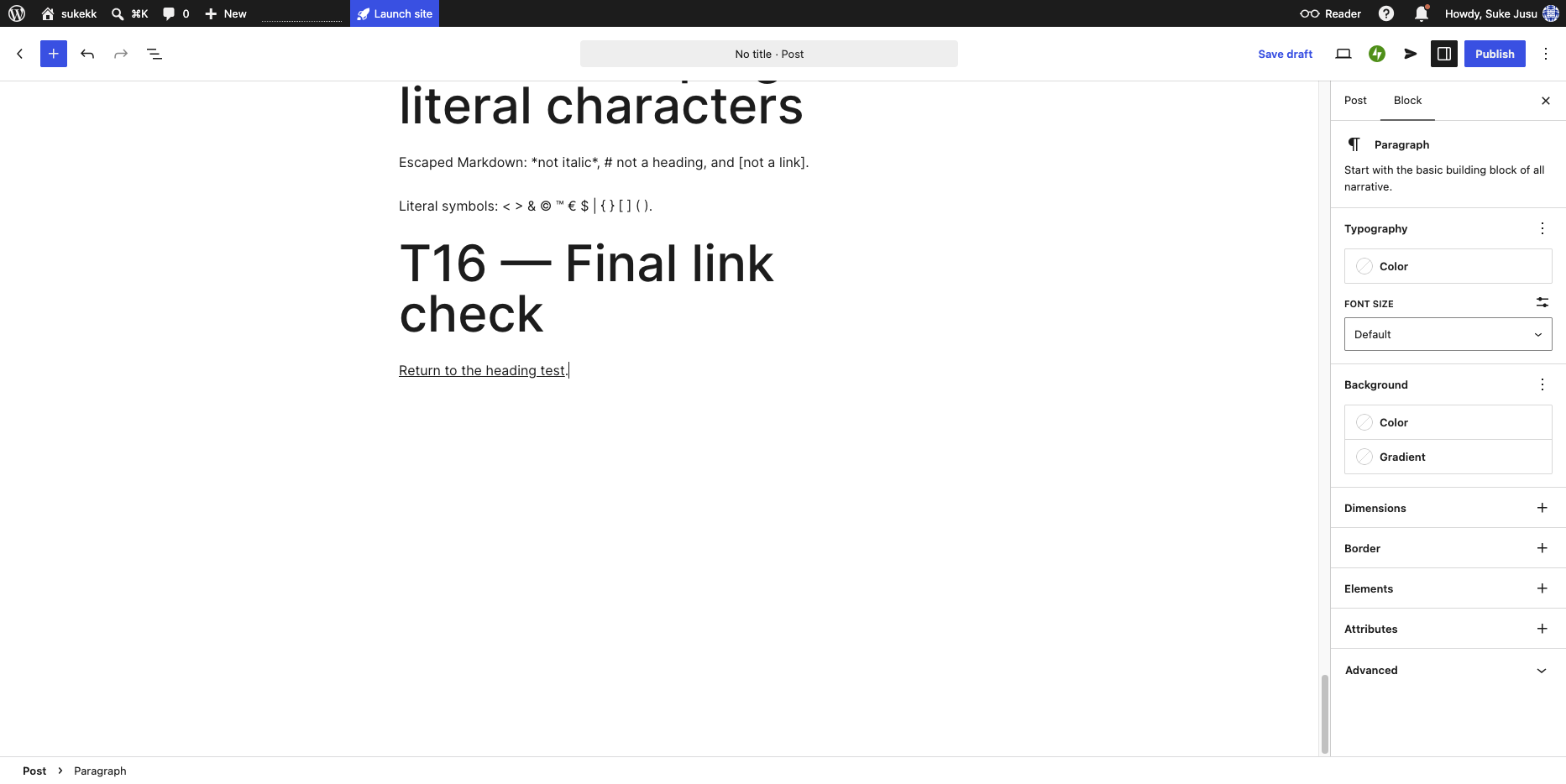
| Escaped Markdown | Displayed literal markers without escape backslashes | Correct for the tested fixture |
Evidence: raw Markdown editor and saved desktop preview.
What failed or degraded
| Fixture construct | Observed result | Required repair |
|---|---|---|
| YAML front matter | Opening and closing --- became separators; fields became a paragraph and list |
Parse metadata before conversion; never paste front matter into the body |
| Markdown H1 as title | Became an H1 content block; WordPress post title remained blank | Populate the post title separately and apply a configurable duplicate-H1 rule |
| Task lists | Became ordinary list items; [x] and [ ] state disappeared |
Convert to explicit status text or a compatible checklist representation |
| Local relative image | Became an image block with ./images/local-test.png; front-end naturalWidth was 0 |
Resolve the file and upload it before content handoff |
| Markdown footnotes | References and definitions remained literal; the indented continuation became a code block | Convert to WordPress native footnotes or use the verified Markdown-block mode |
| Inline/block math | $...$ and $$...$$ remained visible text |
Convert to a native Math block or rendered accessible media |
| Mermaid | Became an ordinary code block | Render a diagram separately and retain a text summary/source option |
| Obsidian constructs | Wiki links, transclusion, callout marker and block reference remained literal | Resolve against the source vault before output |
| Raw HTML | <details> and <summary> structure disappeared; visible summary text remained; <mark> survived |
Use a reviewed Details/Custom HTML block and sanitize allowed elements |
| Heading anchors | Links retained #t02--heading-hierarchy, but rendered headings had empty id values |
Generate explicit unique anchors and rewrite links |
| Long unbroken code | In a 390-pixel emulated viewport, tested code widths exceeded the viewport | Add a theme-sensitive overflow warning and mobile preview check |
WordPress.com/Jetpack Markdown block
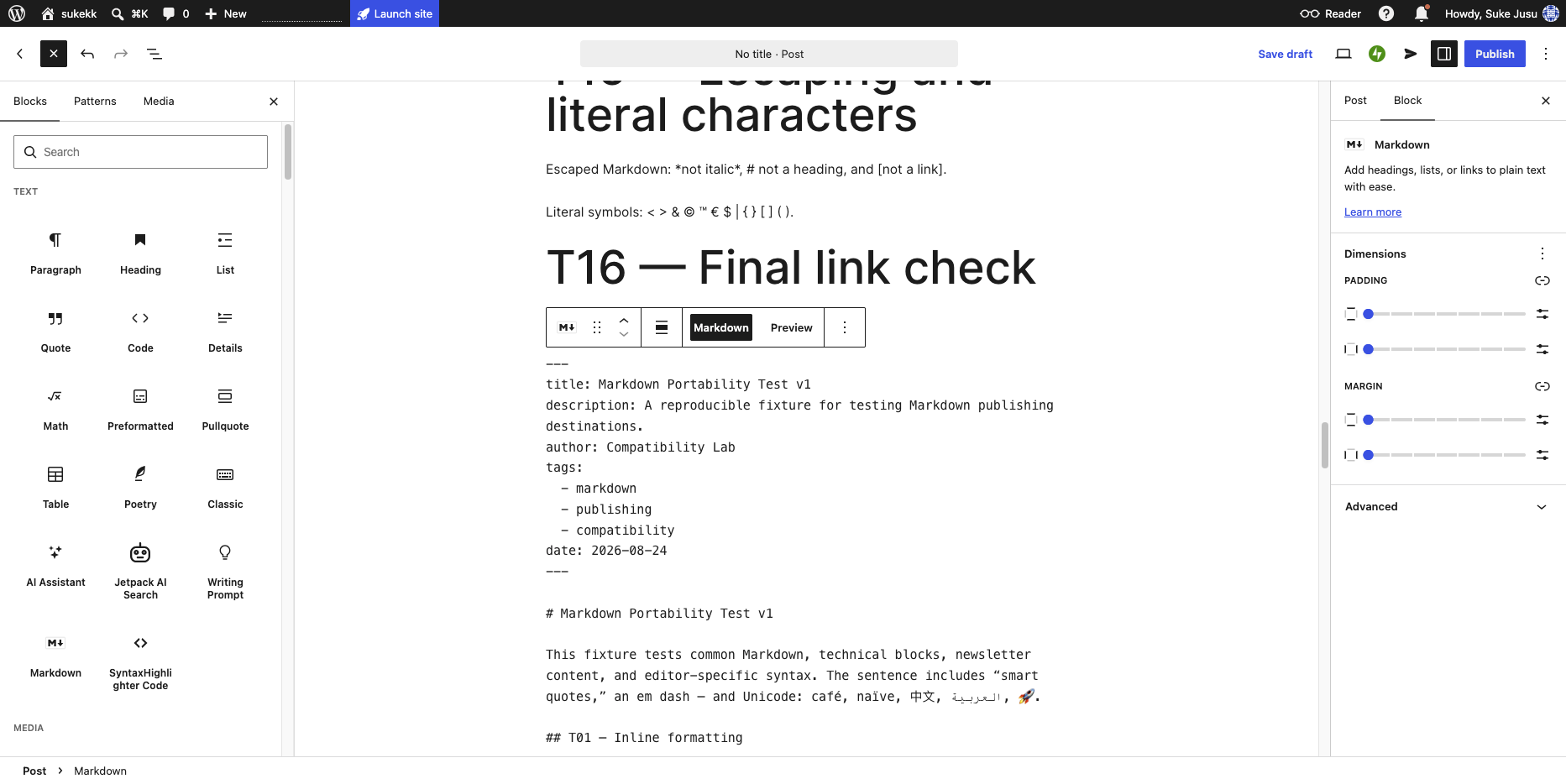
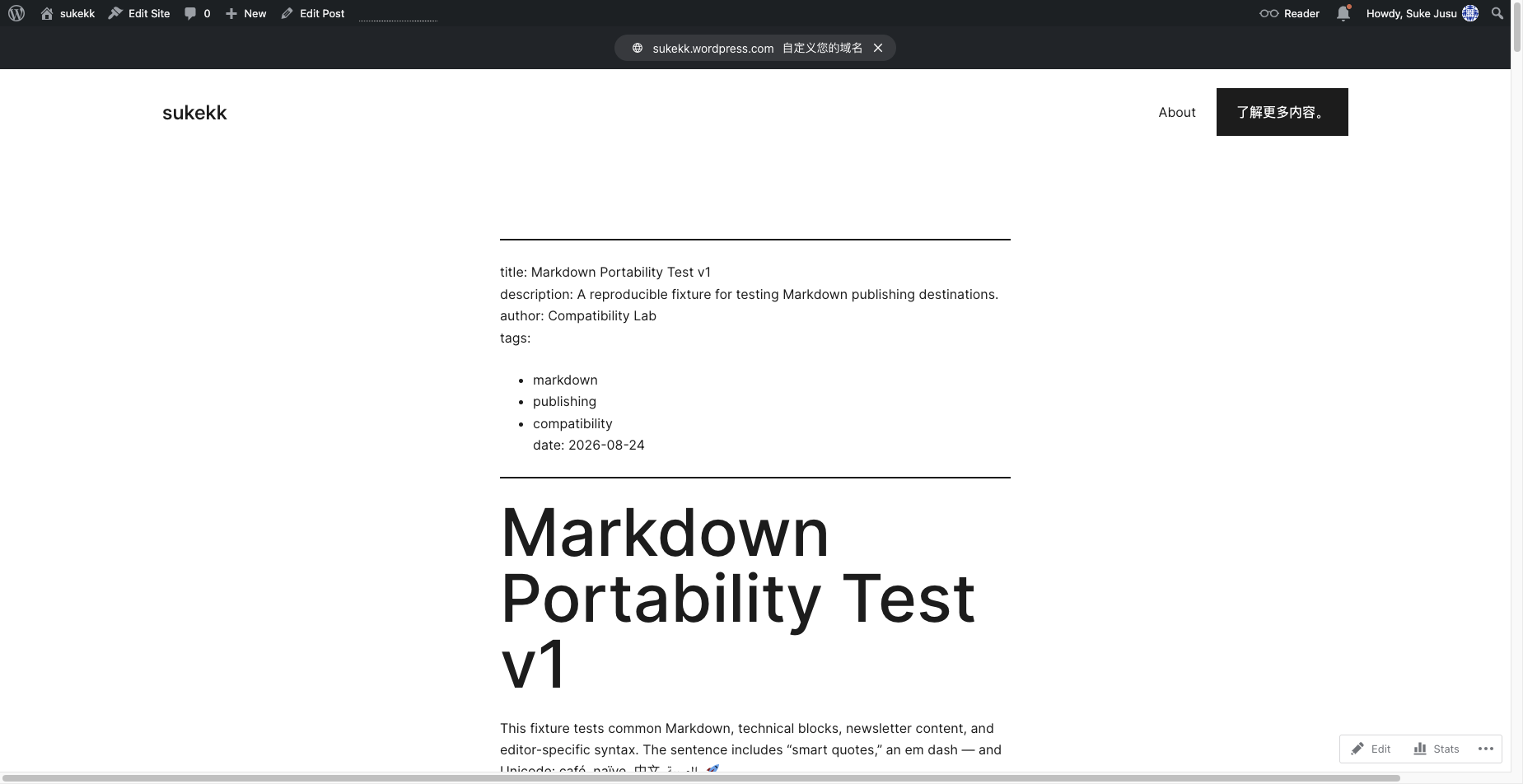
The block registered as jetpack/markdown and exposed separate Markdown and Preview tabs. It retained the complete 3,876-character fixture in its source attribute. Its server-rendered front-end was empty before the changed draft had been saved; after an explicit save, it rendered the full source.
Official WordPress.com documentation describes this block as following CommonMark and says Markdown must be enabled for the site. The live WordPress.com result also rendered the fixture's GFM tables and Markdown footnotes. Because that behavior goes beyond the narrowest CommonMark reading, it must be recorded as a dated WordPress.com observation rather than promised across all self-hosted WordPress installations.
| Construct | Saved front-end result |
|---|---|
| Heading hierarchy, emphasis, links, nested lists and quotes | Rendered |
| Fenced code | Rendered as <pre><code> with language classes |
| GFM tables | Rendered as HTML tables, including tested alignment styles |
| Task list syntax | Rendered as list items with literal [x] and [ ]; not checkboxes |
| Remote image | Rendered from the external URL with alt/title attributes |
| Local image | Retained the relative URL and remained broken |
| Markdown footnotes | Rendered numbered references, footnote list and return links |
| Inline/block math | Remained literal text |
| Mermaid | Remained a language-mermaid code block; no diagram rendering |
| Obsidian syntax | Remained literal |
| Raw HTML | Escaped; no <details> element existed in the result |
| Heading anchors | Link href values survived, but generated headings had no matching IDs |
Evidence: Markdown source block and saved Markdown-block preview.
Mobile and theme sensitivity
The live preview was measured at a 390-pixel viewport. In the tested theme, native Gutenberg tables were constrained to the content width, while long unbroken code content extended beyond the viewport. The attempted mobile screenshot was blank because the preview did not repaint correctly under the browser emulation, so it was discarded rather than presented as evidence.
This means table/code mobile behavior is only partially verified. The product must treat theme CSS as a variable and provide a local preview plus warnings; it cannot promise identical WordPress rendering across themes and plugins.
API boundary
WordPress's official REST API exposes POST /wp/v2/posts with a content field and POST /wp/v2/media with fields including alt_text, caption and description. That is sufficient for a later authenticated publisher, but it creates a different pipeline from browser paste:
- Resolve and upload local or selected remote media through the Media endpoint.
- Replace Markdown image paths with returned WordPress asset URLs/IDs.
- Send Gutenberg-safe serialized blocks or reviewed HTML through the Posts endpoint.
- Create as
draftfirst, read it back, and require preview validation before publishing. - Detect permissions, authentication mode, WordPress version, available blocks, theme and plugin constraints.
Sources:
- https://wordpress.com/support/wordpress-editor/blocks/markdown-block/
- https://developer.wordpress.org/block-editor/reference-guides/packages/packages-blocks/
- https://developer.wordpress.org/rest-api/reference/posts/
- https://developer.wordpress.org/rest-api/reference/media/
- https://wordpress.org/documentation/article/footnotes-block/
Development contract
| Rule ID | Trigger | Required transformation | Warning/check |
|---|---|---|---|
WP-MODE-01 |
User selects WordPress | Offer named Gutenberg-paste and Markdown-block modes | Do not imply that all WordPress installations are identical |
WP-FM-01 |
YAML front matter | Parse and remove it from body content | Map only supported fields; show unmapped metadata |
WP-TITLE-01 |
Front-matter title or leading H1 | Populate the WordPress title separately | Detect and prevent accidental duplicate H1 |
WP-PASTE-01 |
Gutenberg paste mode | Copy cleaned Markdown as text/plain for a real paste event |
Explain that REST submission is a different contract |
WP-HEAD-01 |
Headings and internal anchor links | Preserve levels and assign deterministic unique anchors | Rewrite links and check every local target |
WP-LIST-01 |
Task lists | Preserve state with explicit accessible labels or compatible blocks | Do not silently drop checked/unchecked state |
WP-LINK-01 |
Relative, local or anchor link | Resolve against a user-confirmed site base and heading map | Flag unresolved targets |
WP-CODE-01 |
Fenced or long-line code | Preserve language and code text | Warn when an unbroken line can overflow mobile themes |
WP-TABLE-01 |
GFM table | Preserve a native table when practical | Preview narrow screens; offer cards/labeled rows for wide tables |
WP-IMAGE-01 |
Local Markdown image | Resolve, upload and replace with returned asset URL/ID | Block ready status until every required file is resolved |
WP-IMAGE-02 |
Remote Markdown image | Default to import/upload rather than silent hotlinking | Preserve alt/title and flag licensing/privacy risks |
WP-FOOT-01 |
Markdown footnotes | Use native Footnotes or verified Markdown-block rendering | Default Gutenberg paste cannot be treated as footnote-safe |
WP-MATH-01 |
Markdown math | Convert to a compatible native Math block or accessible rendered asset | Never leave delimiters without a warning |
WP-MERMAID-01 |
Mermaid fence | Render a media asset and keep a concise text alternative | Source-only code mode remains optional |
WP-OBS-01 |
Obsidian wiki link/transclusion/callout | Resolve references and flatten or map the construct | List missing vault files before copy/publish |
WP-HTML-01 |
Raw HTML | Sanitize and map known structures to native blocks | Never pass arbitrary active HTML through silently |
WP-MD-01 |
Markdown-block mode | Verify jetpack/markdown availability and site setting |
Require save/readback preview before ready status |
WP-REST-01 |
One-click/API mode | Create a draft through Posts API and upload media separately | Require authentication, permission and readback checks |
Product implications
- WordPress should be a primary launch platform, not an edge integration.
- Basic Markdown conversion is already strong in Gutenberg, so the product's value is the repair layer: metadata, title, media, anchors, task state, footnotes, math, diagrams and preview assurance.
- A static first version can deliver meaningful value through a clipboard-ready Gutenberg profile and a WordPress.com Markdown-block profile without credentials.
- Affiliate opportunities can sit naturally beside the workflow—hosting, themes, media optimization and backup tools—but recommendations must be tied to a real compatibility problem rather than generic hosting lists.
- A future buyer or SaaS version gains defensibility from site profiling, asset upload, draft readback and theme/plugin compatibility checks, not from a generic Markdown-to-HTML converter.
Not separately live-tested
- Self-hosted WordPress installations and version differences.
- Classic Editor Markdown and Markdown Extra.
- Custom HTML block or full code-editor paste.
- Native Math block conversion and saved output.
- Native core Footnotes conversion from Markdown.
- REST authentication, draft creation, media upload or readback.
- Featured image, excerpt, categories, tags, slug, scheduling and revisions.
- Plugin conflicts, content sanitization by user role, multisite and headless WordPress.
- Multiple themes and a reliable visual mobile screenshot.
Cleanup
The test content was never published. Draft 8 was explicitly moved to WordPress Trash after the final saved preview. Both edited and current post status were verified as trash. No Media Library item was created.